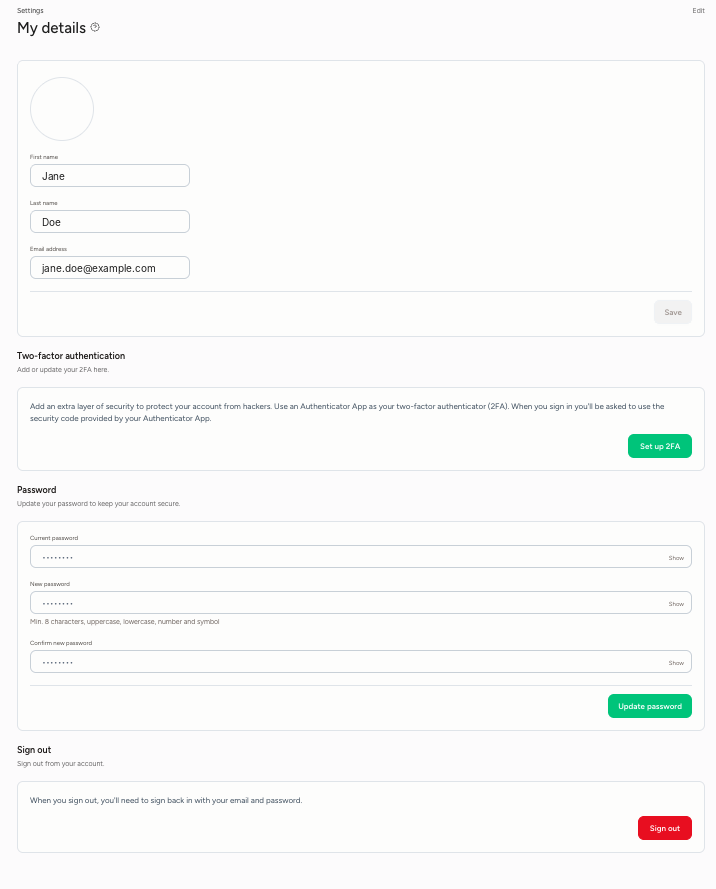
Settings, at the bottom left of the menu, is where you manage your own account, your team and your Stripe connection. It has three sections: Personal, Team members and Stripe Connect.
Under My details, you can update your own details:
- Profile details: your profile photo, first name, last name and email address. Click Save to save your changes.
- Two-factor authentication: add an extra layer of security to your account with an authenticator app. Click Set up 2FA. From then on, you'll also enter a code from your authenticator app when you log in.
- Password: change your password. Enter your current and new password (at least 8 characters, including an uppercase letter, lowercase letter, number and symbol) and click Update password.
- Sign out: log out of your account.