
Manual notifications let you send a push notification straight to your members' phones. You choose whether to reach everyone or just a specific group. You'll find this under Program > Manual notifications.
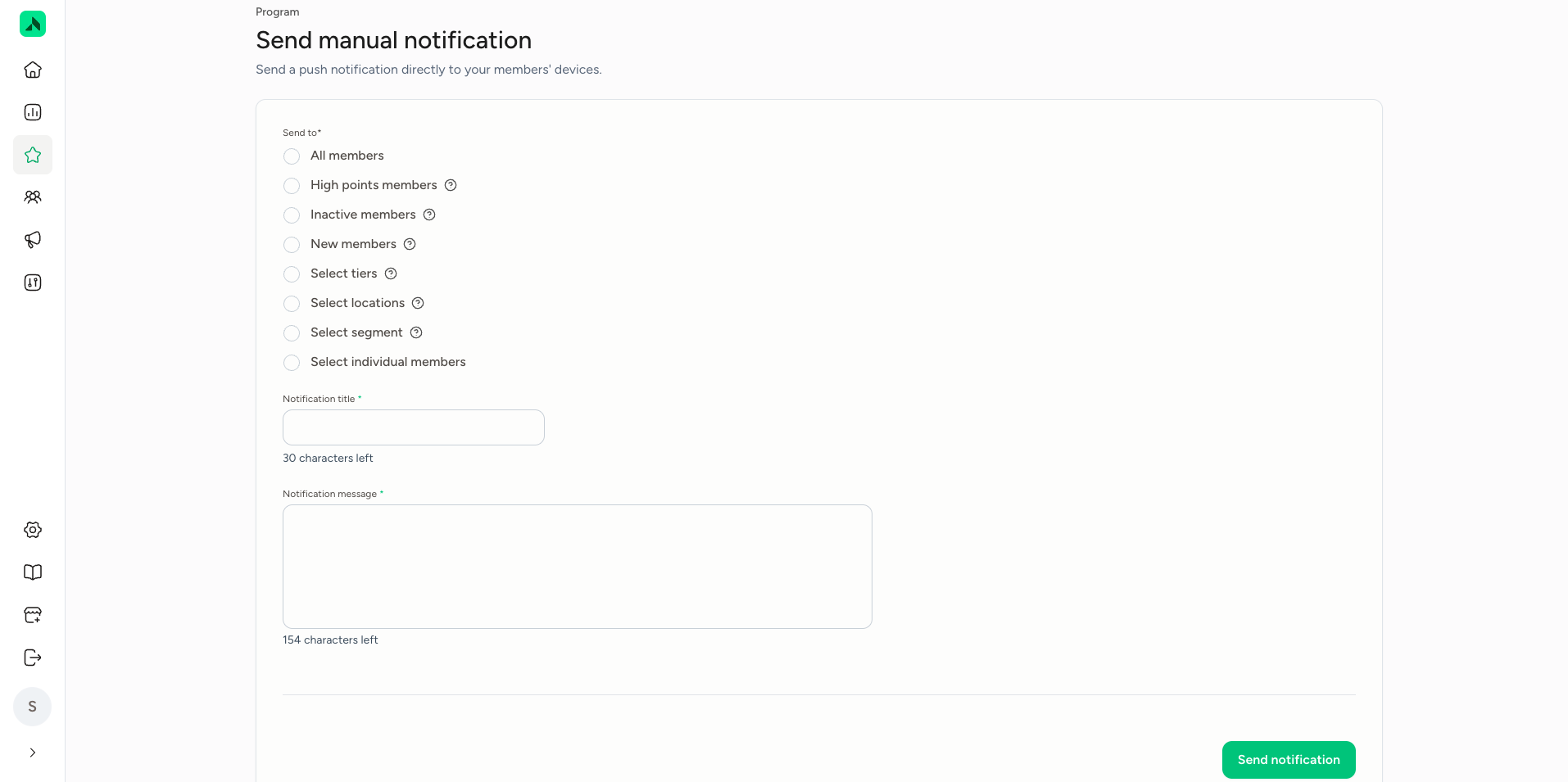
Sending a notification- Go to Program > Manual notifications.
- Under Send to, choose who gets the notification:
- All members: all your members.
- High points members, Inactive members or New members: a group based on points, activity or how recently they joined.
- Select tiers: members in one or more tiers.
- Select locations: members of specific locations.
- Select segment: members in a segment.
- Select individual members: individual members you pick yourself.
- Enter a Notification title (up to 30 characters).
- Write the Notification message (up to 154 characters).
- Click Send notification.
The notification only reaches members who have push notifications switched on for the app.
| Goal | Example |
|---|---|
| Fill a quiet moment | "Quiet afternoon? Pop in and earn double points until 4pm." |
| Win back inactive members | "We miss you! You've still got points waiting. Come in and claim your reward." |
| Welcome new members | "Welcome! Claim your welcome gift under Challenges in the app." |
| Reward a tier | "Just for our Legends: a free drink with your visit this week." |
| Announce a new reward | "New in the app: you can now save up for an exclusive goodie bag." |