
Courts free up all the time, for example because of a last-minute cancellation or a slot that didn't sell. With Court Alarm, members set an alarm in the app for the days and times they'd like to play. As soon as a court that matches their alarm becomes available in your booking system, they get a push notification so they can book it before anyone else does. Your members get the court they want, and you fill court hours that would otherwise stay empty.
Court Alarm works with booking systems like Playtomic, Playbypoint and FOYS. That's how we automatically spot when a booked court becomes free, for example after a cancellation.
How does it work for your members?
- The member taps Court alarm in the app menu and then Create alarm.
- Under Location, the member chooses the location.
- The member chooses how often the alarm applies:
- Specific dates: the member picks one or more dates in the calendar under Dates, for example 2 and 9 November, and sets the time window under From and To.
- Repeat weekly: the member picks the days under Day(s), for example Monday to Friday, and sets the time window under From and To, for example 09:00 to 12:00. A weekly alarm stays active until the member switches it off.
- The member taps Create alarm. The alarm is saved ("Changes saved").
- On the Court Alarm page, the member can see their alarms, for example under Repeating alarms. They can edit an alarm with Edit and switch it on or off with the toggle, for example if they don't want to play for a while.
- When a matching court becomes available, the member gets a push notification straight away. Tapping it takes them to your club's booking page, where they can book the court right away.
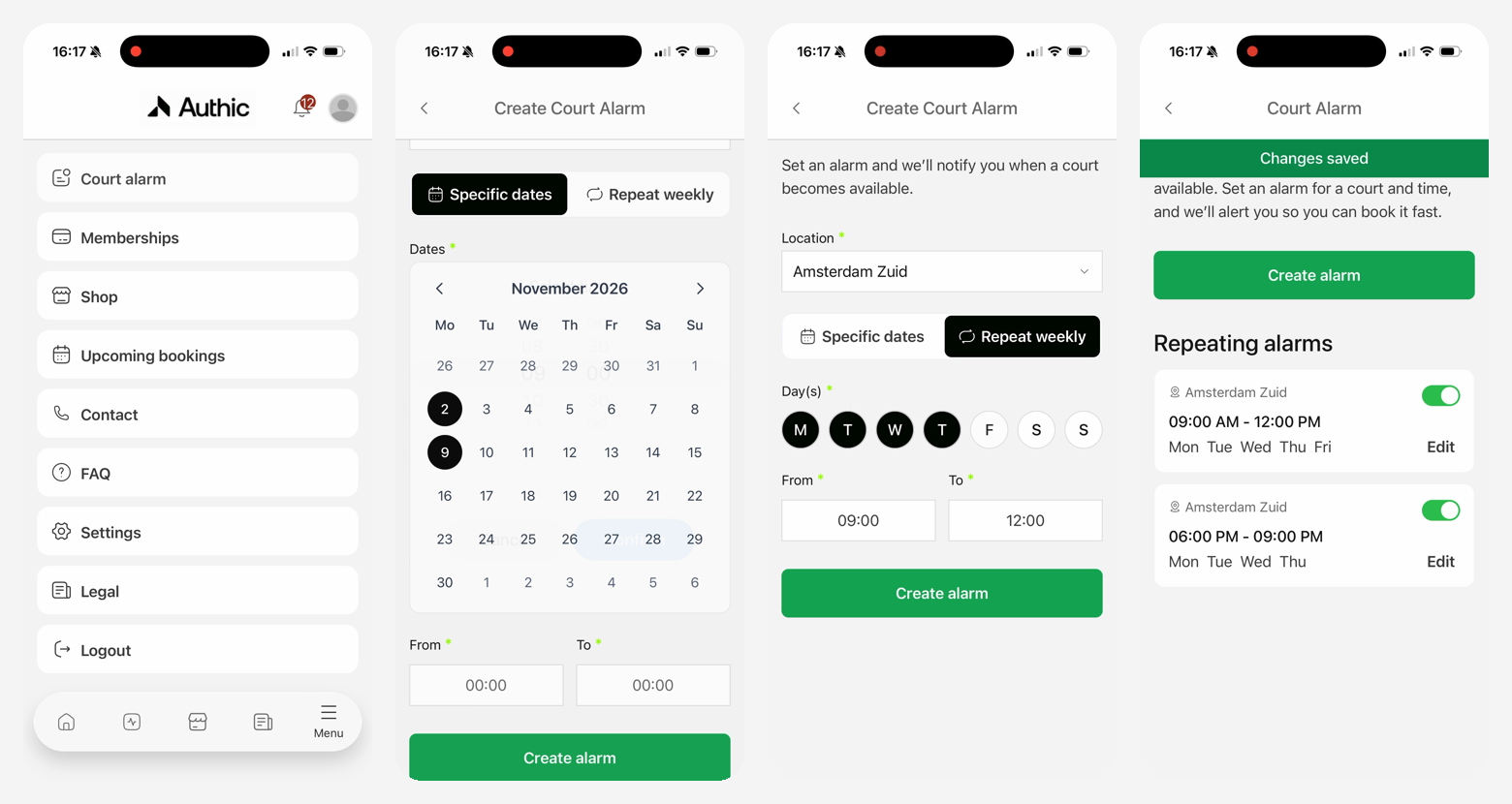
Switching on Court Alarm
At the moment you can't switch Court Alarm on or off yourself in the dashboard. If Court Alarm is part of your package, it's switched on by default. Got Court Alarm in your package but it's not on yet? Get in touch with our team or your Customer Success Manager and we'll switch it on for you.