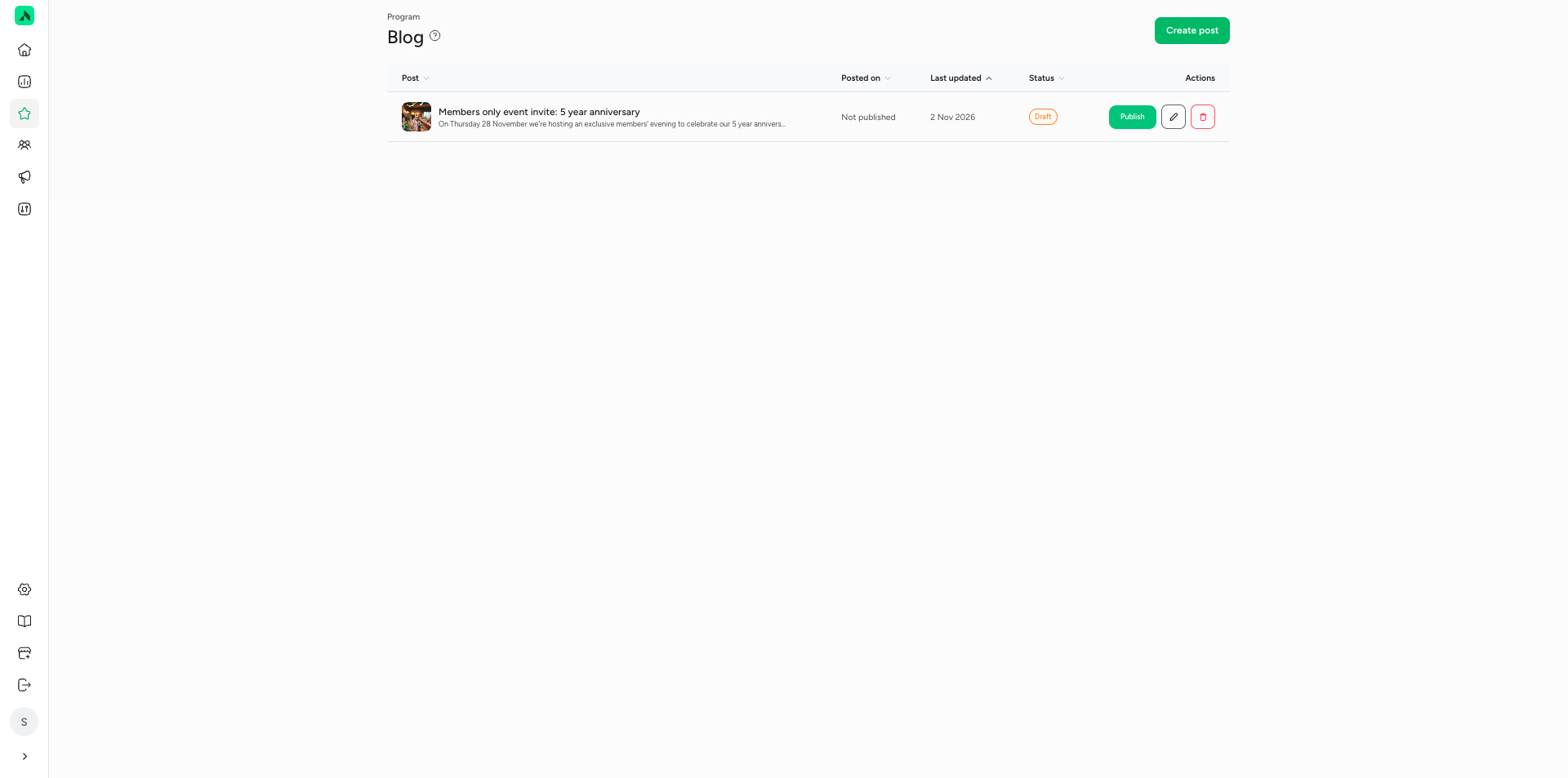
The blog lets you post your own updates in the app, like a new product or treatment, a special menu or an event. When you publish, you can send a push notification straight away so members don't miss it. Published posts appear in their own section of the app: News. You can always edit a post, even after publishing; the app then shows when it was last updated. You'll find the blog under Program > Blog.
Creating a blog post
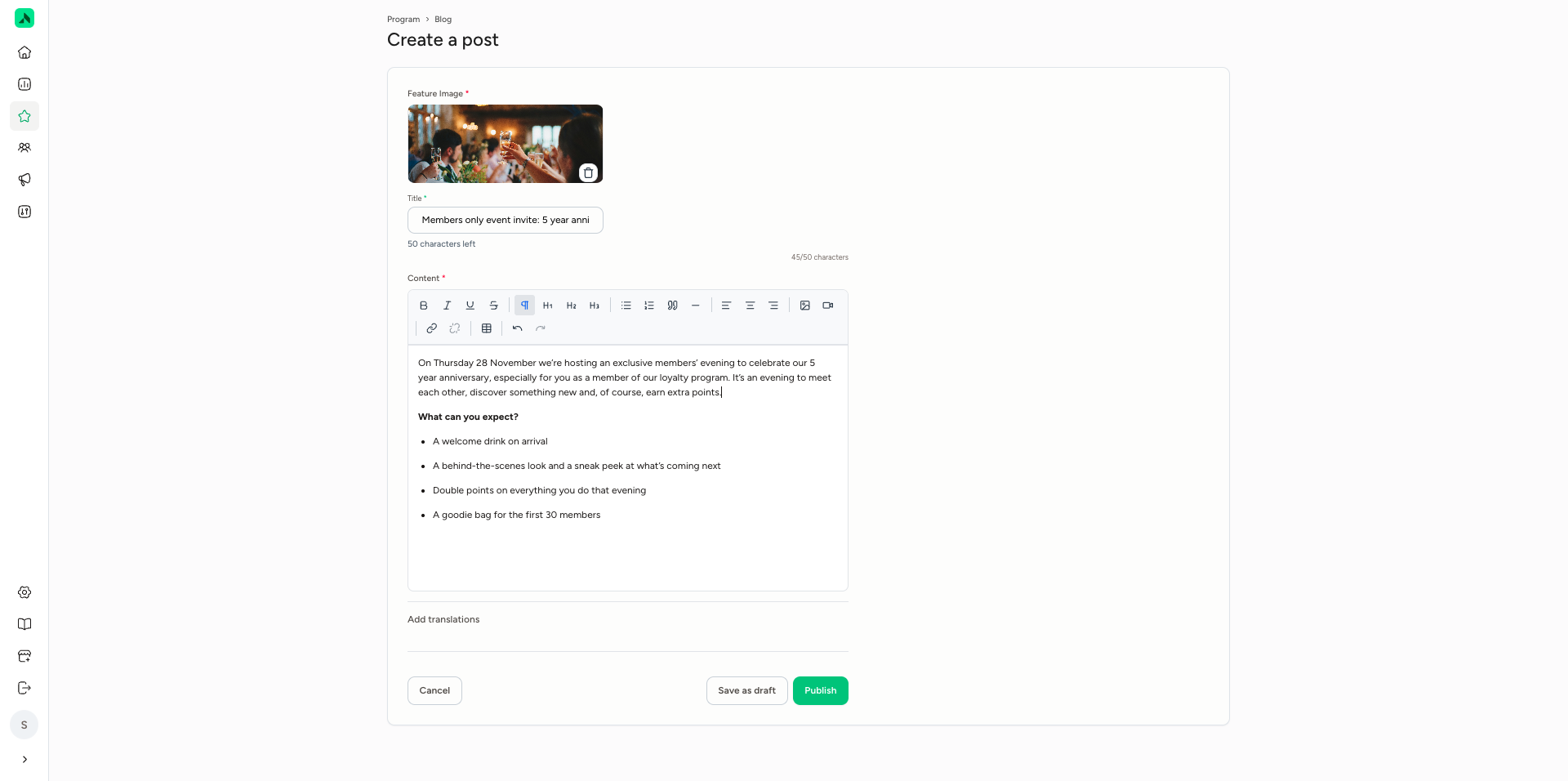
- Go to Program > Blog and click Create post.
- Add a Feature Image: the image at the top of your post.
- Enter a Title (up to 50 characters), for example "Members only event invite: 5 year anniversary".
- Write your text under Content. Use the buttons at the top to make text bold or italic, or add headings, bullet points, links, tables, images or videos.
- Optional: add translations via Add translations.
- Click Save as draft to come back to it later, or Publish to publish the post.
Publishing with a push notification
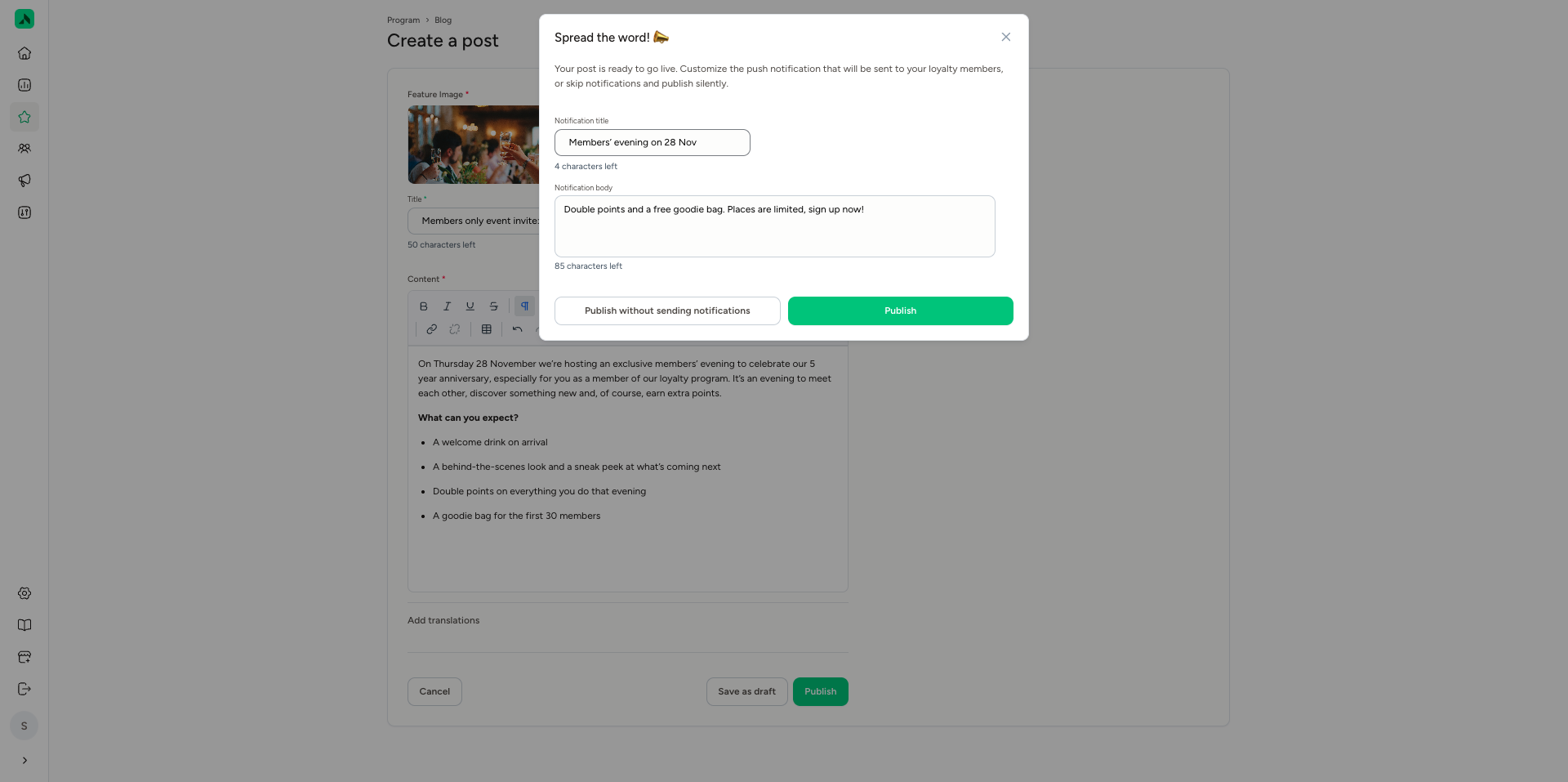
When you click Publish, the Spread the word! window appears. This is where you set up the push notification that goes to your members:
- Notification title: the title of the notification, for example "Members' evening on 28 Nov".
- Notification body: the text of the notification, for example "Double points and a free goodie bag. Places are limited, sign up now!"
Click Publish to publish the post and send the notification. Don't want to send a notification? Choose Publish without sending notifications.
The push notification only reaches members who have push notifications switched on for the app.
Preparing posts in advance
You can also create posts in advance and save them as drafts with Save as draft. That way you can have all your posts for a promotion or event ready in good time, and publish them whenever you like.
The overview under Program > Blog shows all your posts with their publish date, last edited date and status, for example Draft. For a draft, click Publish to put the post live and, if you want, send a push notification. Use the icons next to it to edit or delete a post.